
How do I use Assessment Mode to pause Mote during a test?
Assessment Mode pauses Mote features for a class for a set length of time, so students take a test without the tools they use for everyday work. You run it from the My Classes dashboard, and it turns itself off automatically when the time is up.
It does not have to be all or nothing. You choose which features to pause, and you can keep Mote available for students whose IEP requires it, so a required accommodation is not withdrawn in order to run an assessment.
Before you start
You need a class at mote.com/my-classes with students enrolled. Assessment Mode is a student-only feature, so it will not be available until students have joined. It applies to students, not to co-teachers or other adults in the class.
Starting Assessment Mode
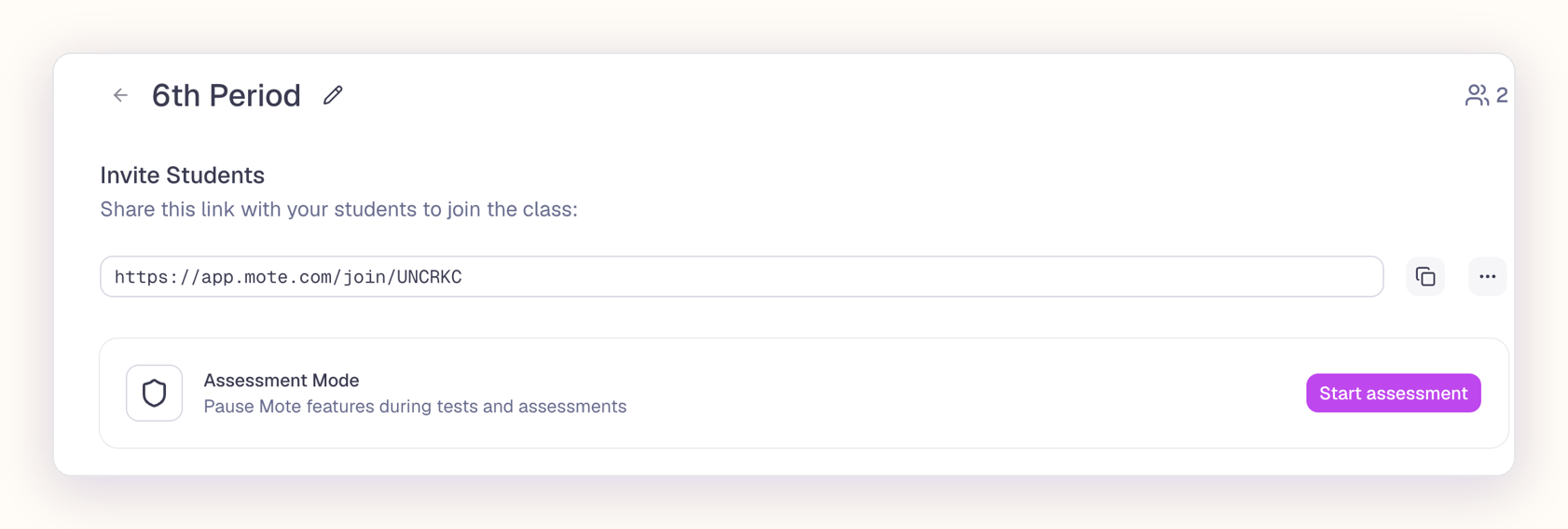
- Go to mote.com/my-classes and click on a class.
- Click on Assessment Mode.
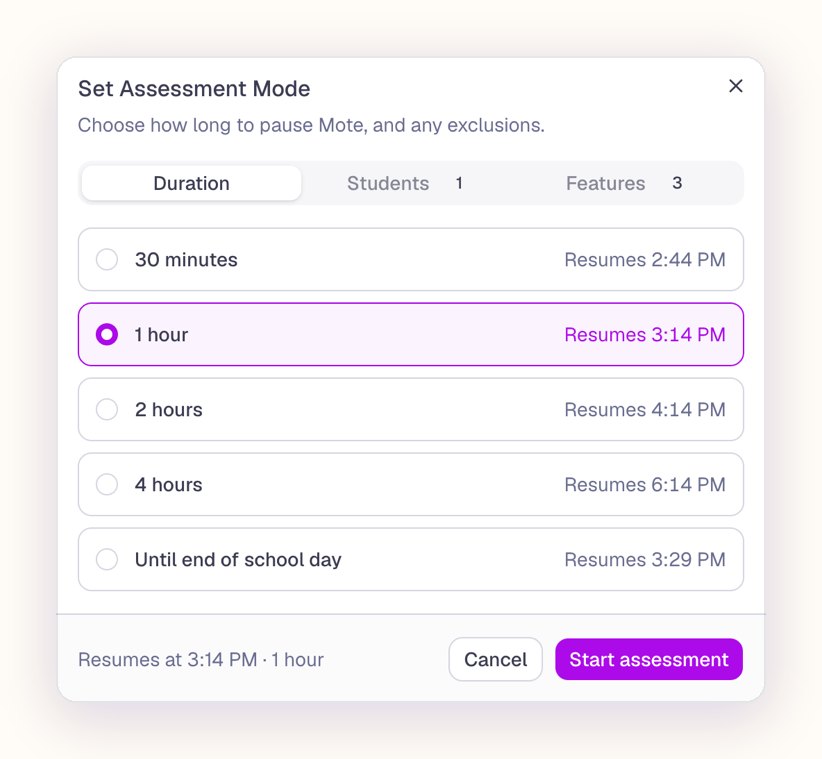
- On the Duration tab, choose how long to pause Mote: 30 minutes, 1 hour, 2 hours, 4 hours, or until the end of the school day.
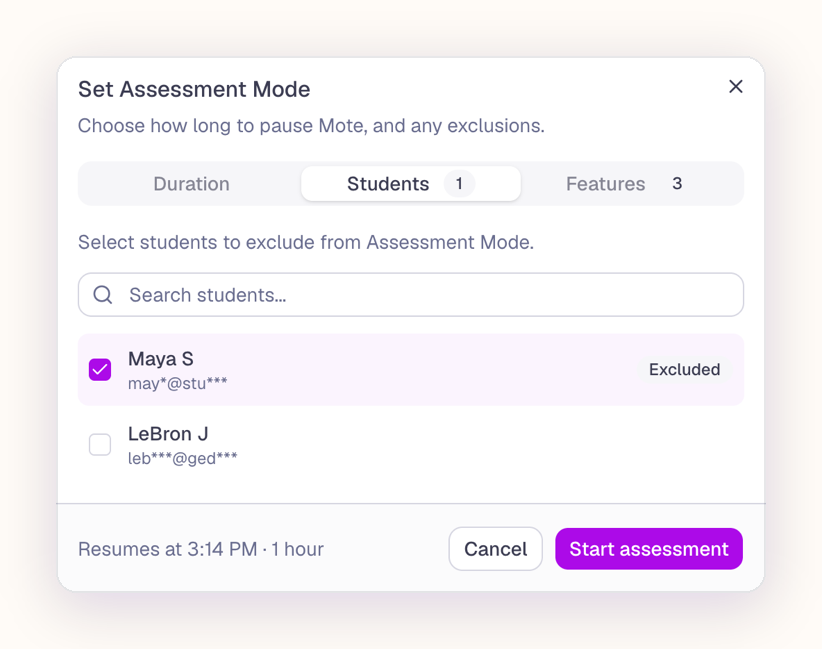
- On the Students tab, choose any students to exclude, so they keep full access to Mote.
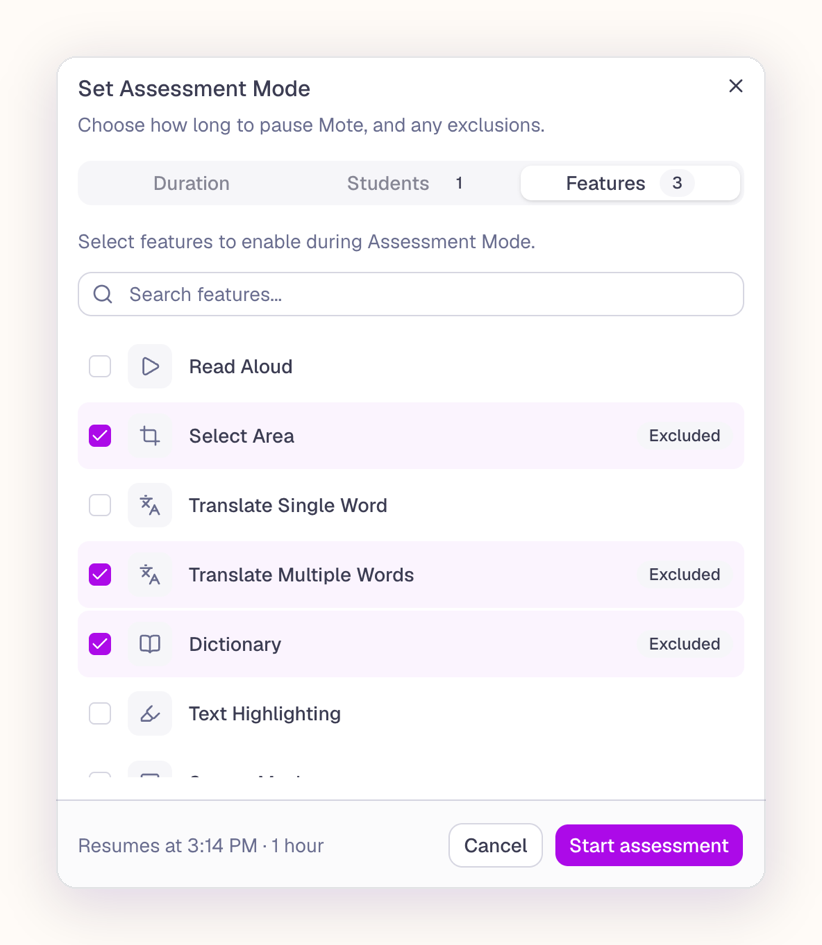
- On the Features tab, choose the features that stay available during the assessment. Anything you do not choose is paused.
- Click Start assessment.
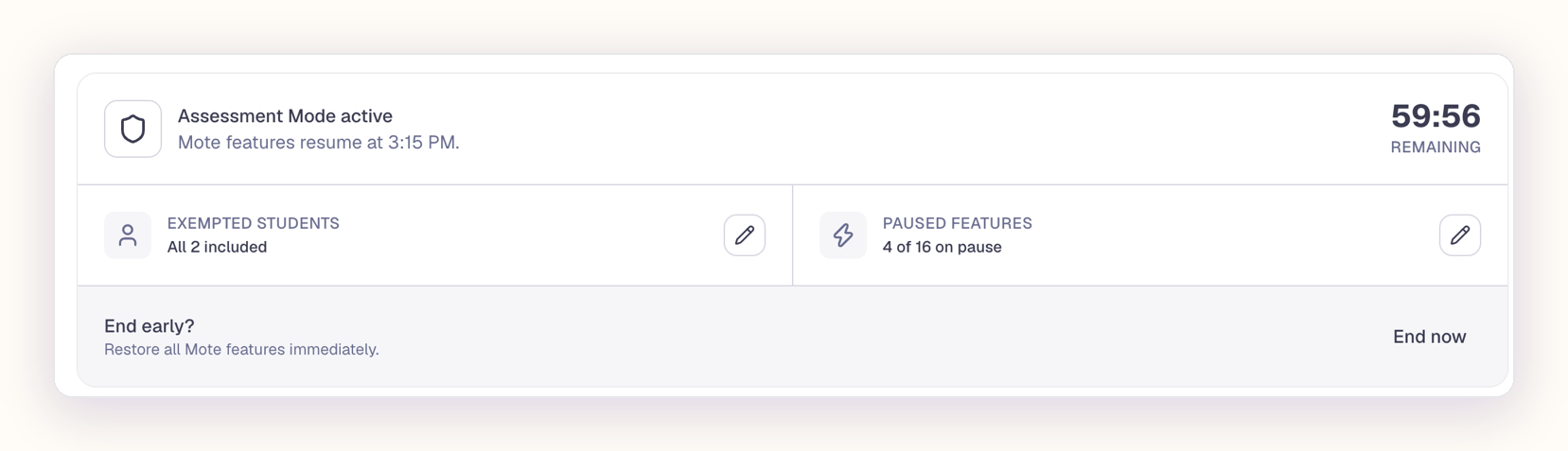
- A banner then shows "Assessment Mode active" and the time Mote features resume.
Changing it while it is running
Click the pencil next to Exempted students to change who it applies to, or the pencil next to Paused features to change what stays available.
Ending it early
Click End now on the Assessment Mode banner. Mote features become available again straight away.
When the time is up
Mote features resume on their own at the time shown on the banner. You do not need to do anything.
What students see
Students cannot turn a paused feature on. If a student clicks one, they get a message explaining why it is unavailable.
FAQs
Do I need a school or district subscription to use Assessment Mode?
No. Any teacher with a Mote Unlimited subscription can create a single class and add their students, which is all Assessment Mode needs. Students need Mote Unlimited to have access to all of the features, so what a student keeps during an assessment depends on their own subscription.